Time & attendance
Review employee time cards, correct entries, add notes, and follow your attendance and payroll approval workflow.
TIMEVISION · CLOUD WORKFORCE MANAGEMENT
Built around your people and the way your business works.
Connect employee management, time and attendance, PTO, approvals, and payroll review in one cloud workspace—for your team in the field and your people in the office.
THE VISION AI DIFFERENCE
Vision AI is a new generation of software company built around AI-driven development.
By using AI throughout the software development lifecycle, we can significantly reduce the cost and time required to build, enhance, and support enterprise software. Our goal is to reduce traditional software development costs by as much as 50% and pass those savings directly to our customers.
That lower cost structure allows us to do things differently from traditional workforce management vendors.
THE ADVANTAGE FOR YOUR BUSINESS
With TimeVision AI, customers can receive:
The result is not a stripped-down, low-cost product. TimeVision AI is a modern, cutting-edge workforce management platform designed from the ground up for the AI era.
Customers get advanced workforce management, payroll integration, automation, analytics, and AI capabilities—without the high implementation and integration costs traditionally associated with enterprise software.
Better technology. Lower development costs. Lower customer costs.
ONE CONNECTED WORKFORCE
TimeVision applies the pay and attendance rules that turn raw punches into payroll-ready time. Connect employee setup, attendance, leave, approvals, and payroll preparation in one cloud workspace.
Review employee time cards, correct entries, add notes, and follow your attendance and payroll approval workflow.
Activate an employee’s phone with a one-time code. Set GPS and photo requirements for mobile clock events.
Review PTO and UPTO details. Let employees view balances and submit requests when their mobile permissions allow it.
Set up office users before inviting them. Control screens and employee access with roles and department mappings.
Preview totals and validation messages, review approvals, and create payroll exports using your configured format.
Track attendance codes, points, tardies, absences, and early leave. Connect your policies to real employee events and exception reporting.
MOBILE EMPLOYEE APP
Employees can request PTO, check PTO balances, and review current time card activity directly from their phone. Set up the phone with the employee and connect it to the right person and company—without creating a separate office-user account.
Capture the GPS location of each punch and an employee selfie when recording time. GPS and selfie requirements are configurable for each employee.
INSIDE TIMEVISION
Explore the product screens. Select any image to open the full-size view in a new tab. Branding and available options may vary by configuration.
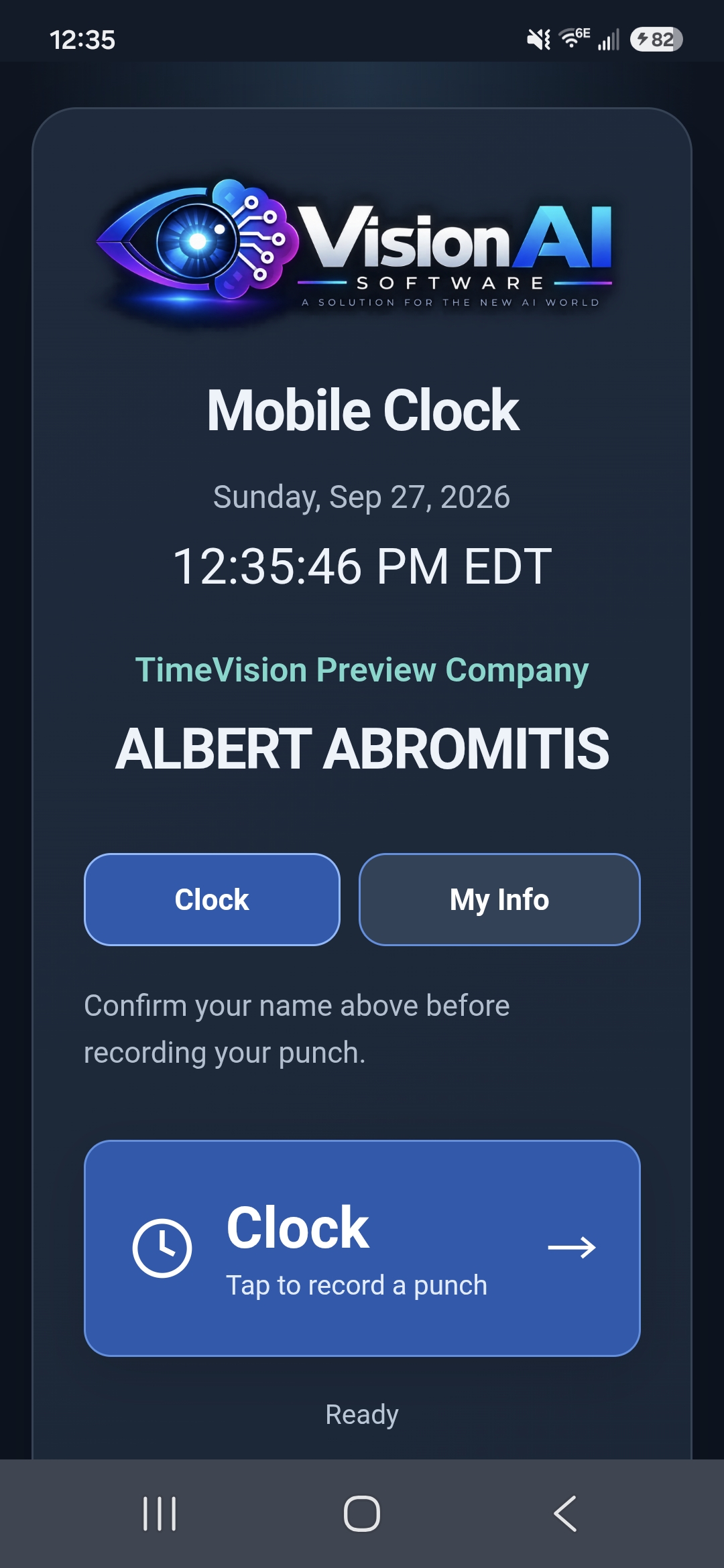
Record employee punches with GPS location and selfie capture, based on the employee’s configured requirements.
Review employee time, correct entries, and manage approvals.
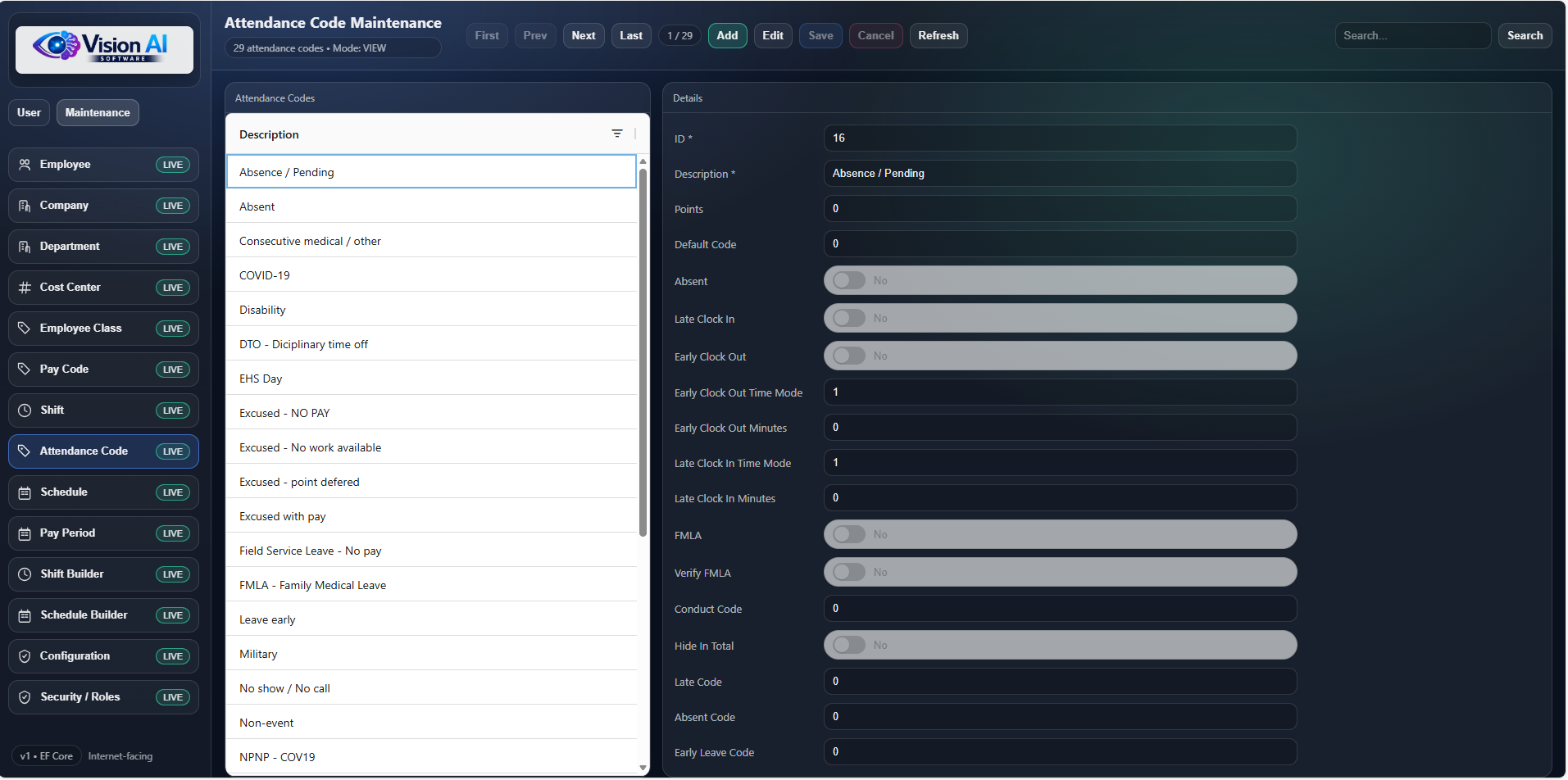
Connect attendance events to your policies and payroll rules.
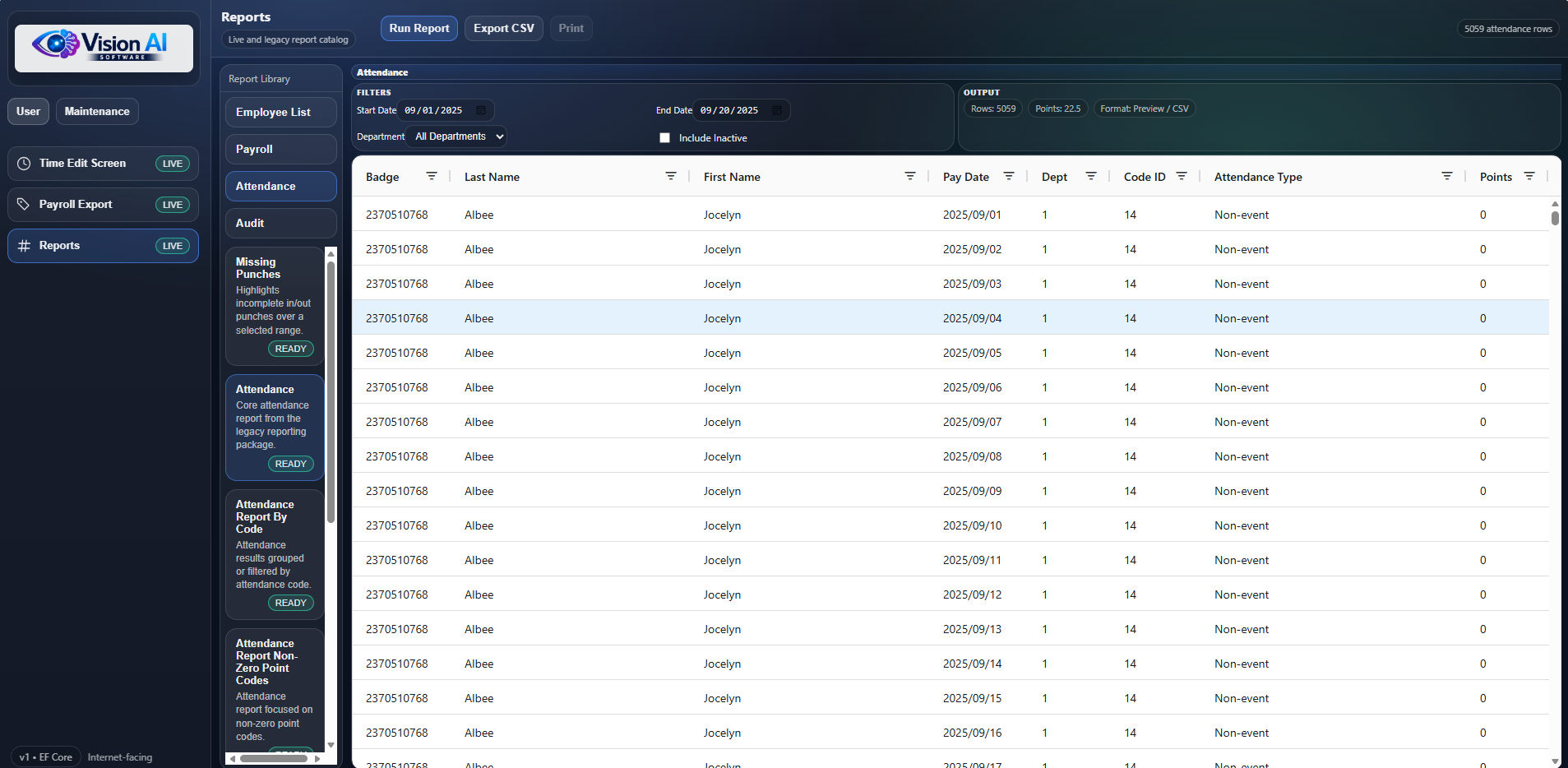
Review attendance activity, points, and exceptions.
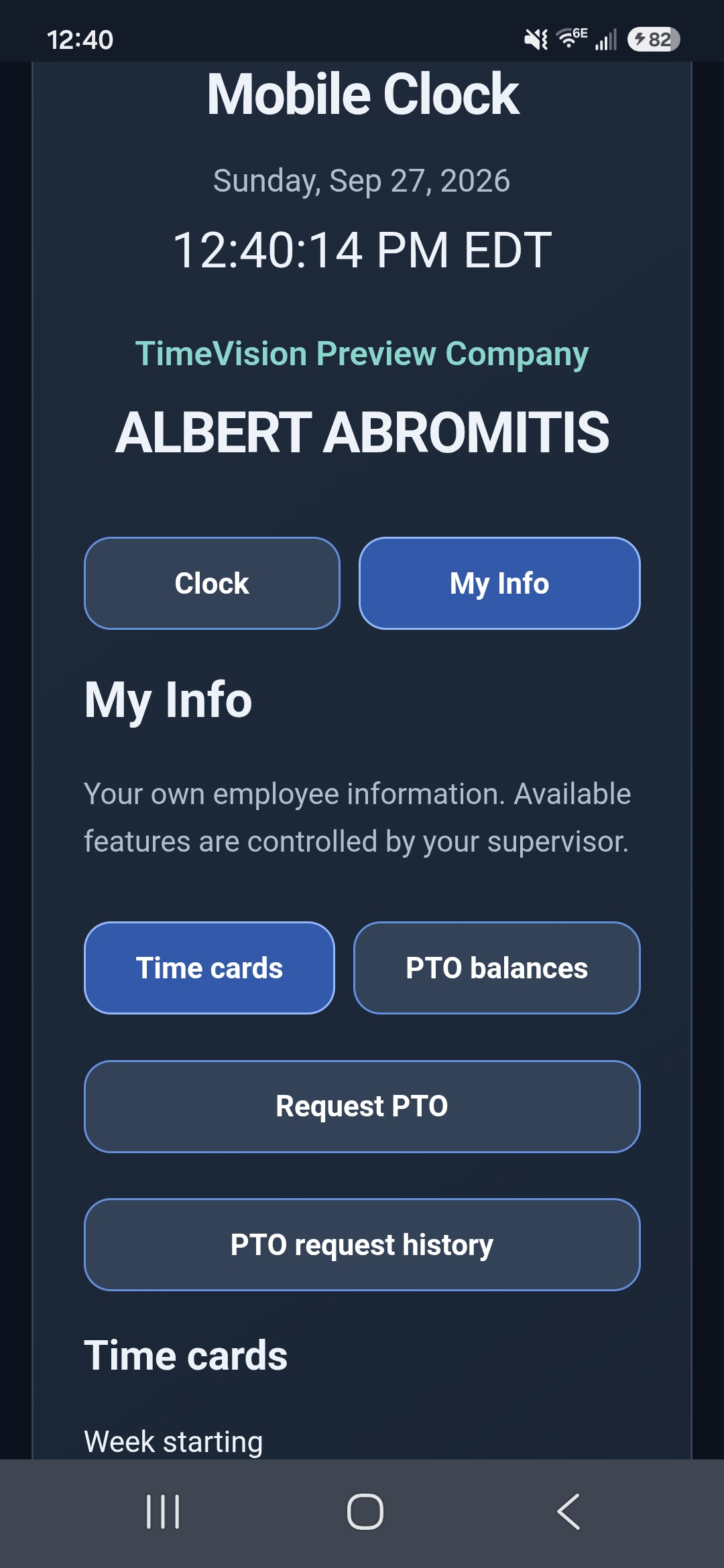
Time cards, PTO balances, requests, and request history—in the same app employees use to clock. Access is controlled by employee permissions.
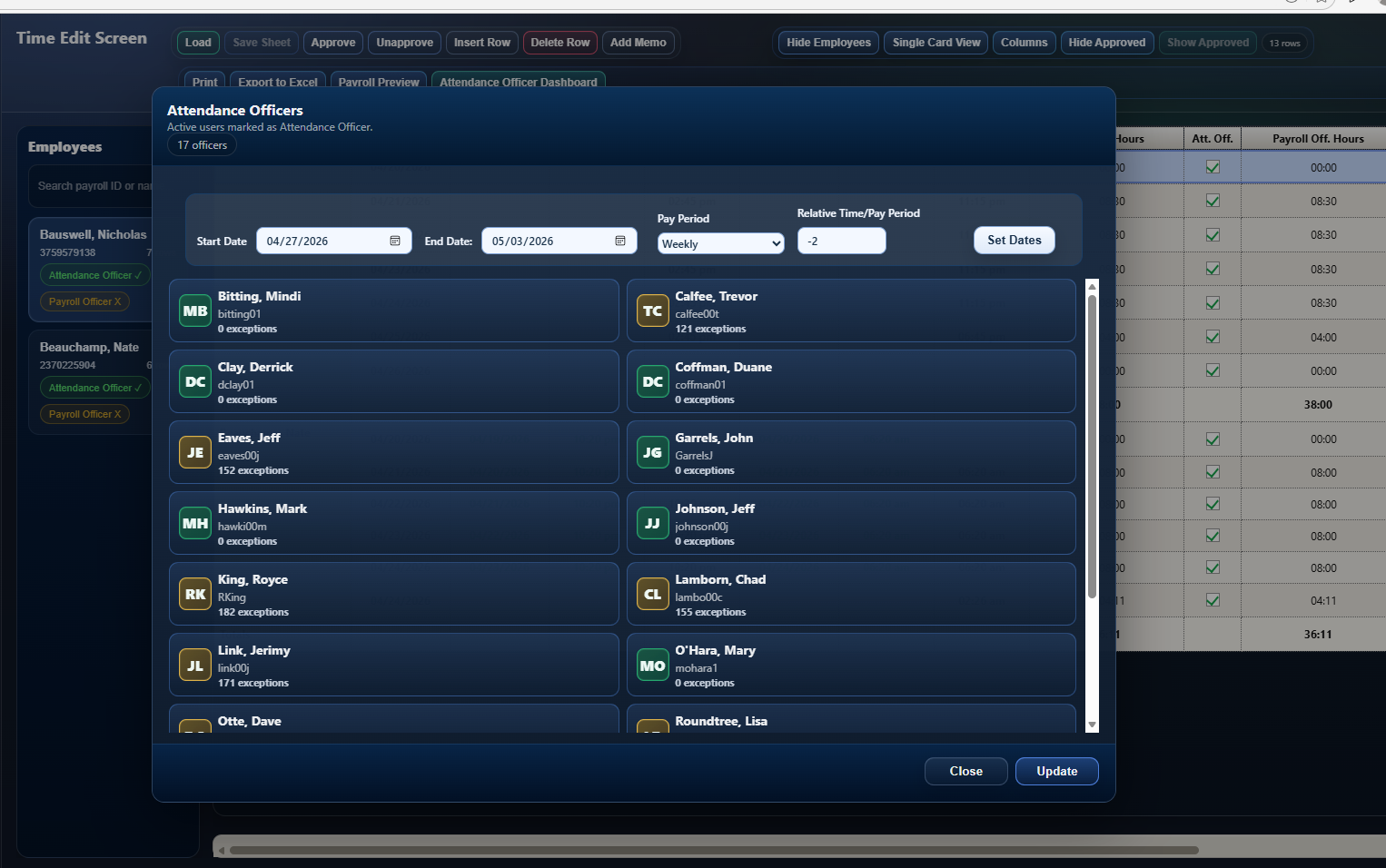
Visibility into attendance review before payroll approval. See what is complete, what still needs attention, and when payroll can move forward.
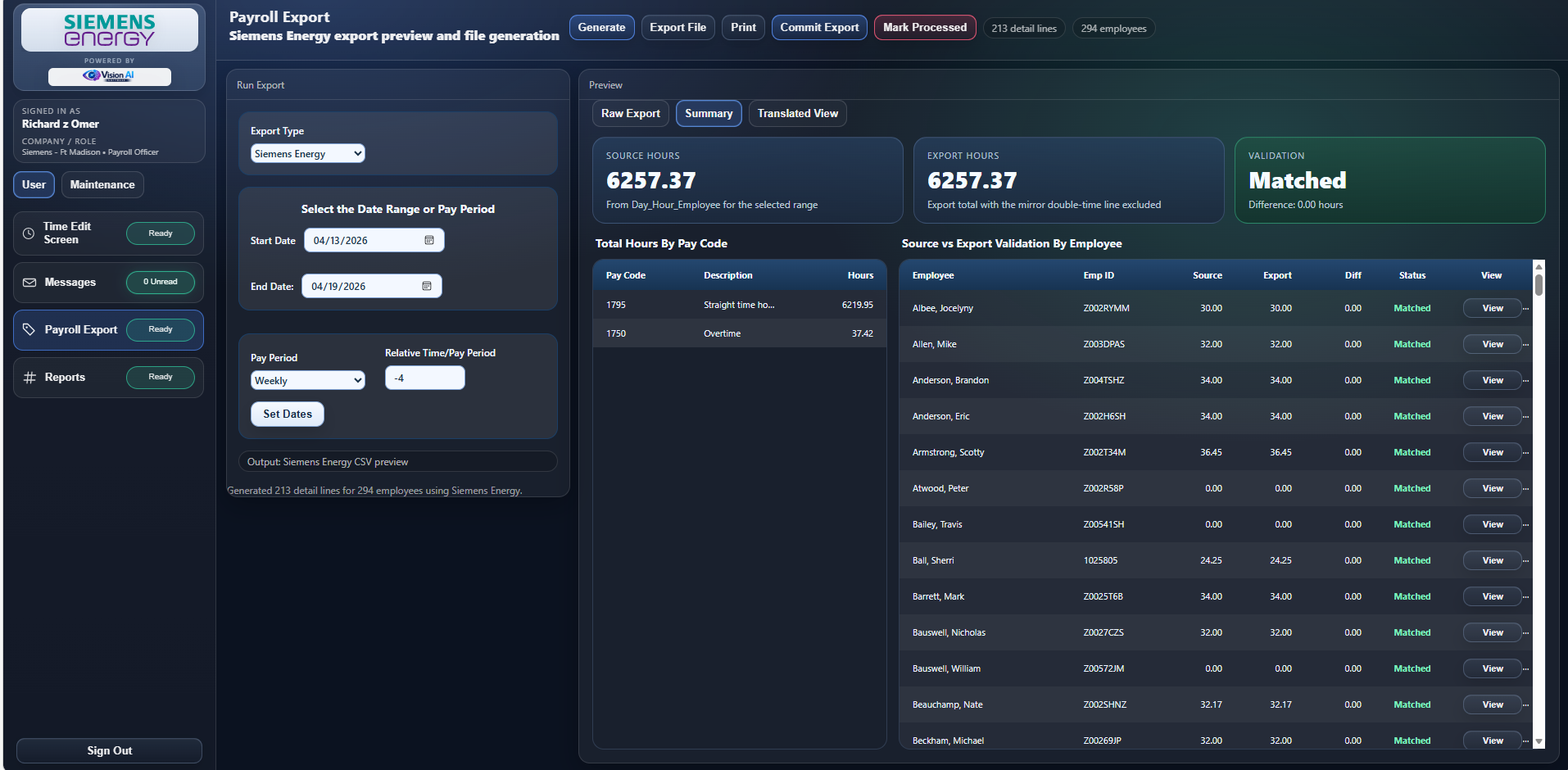
Move approved time into payroll with confidence. Review, validate, commit, and track exports before hours leave your Workforce Management system.
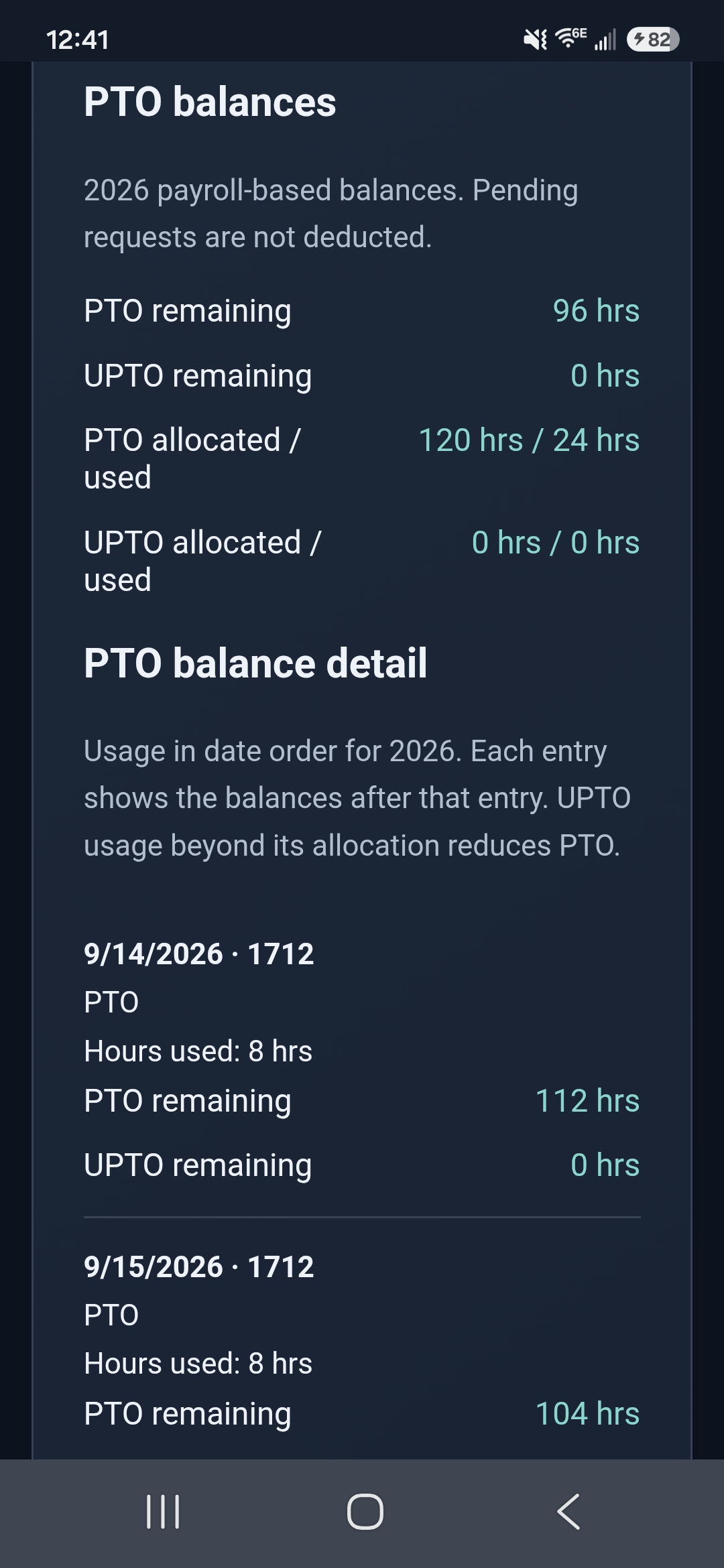
See PTO and UPTO remaining, allocated and used hours, and a dated breakdown of usage directly from a phone.
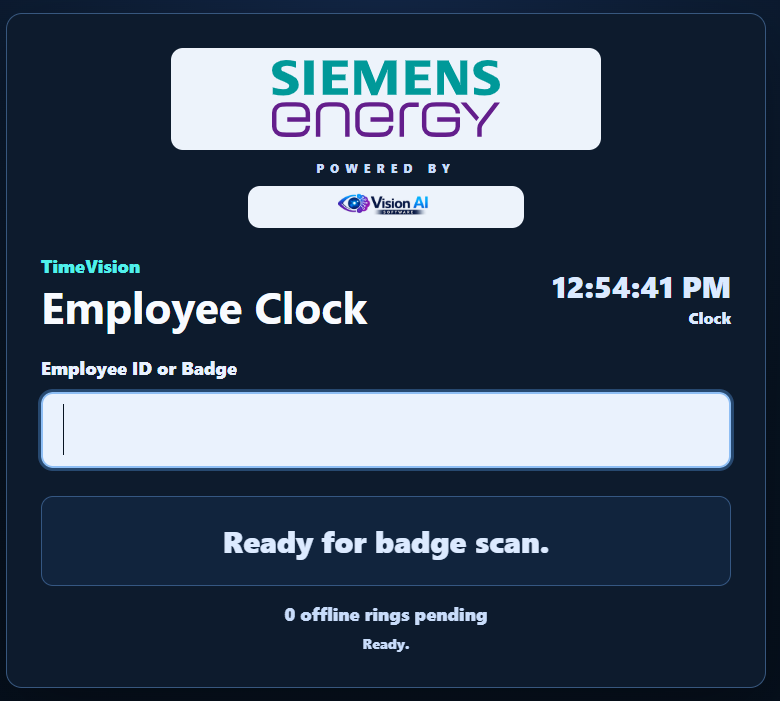
A shared time collection station with an employee reader.
FROM CLOCK-IN TO HANDOFF
Connected records. Clear responsibilities. Your existing review process stays at the center.
Configure your company, departments, employees, and access. Invite office users and activate employee phones.
Collect clock events, review time cards, manage PTO requests, and work through exceptions and approvals.
Check totals, preview your configured export, and hand off reviewed time to your payroll process.
EMPLOYEE SELF-SERVICE
Employees can request PTO, view PTO balances, and review current time card activity from a shared kiosk or from the mobile app. The kiosk is built for floor devices where employees swipe a badge, while the mobile app puts self-service on their phone.
ATTENDANCE OFFICER DASHBOARD
Payroll officers need attendance officers to finish their review work before payroll can be fully approved. The Attendance Officer Dashboard gives payroll a clear view of that progress, showing what is complete, what still needs attention, and when the payroll approval process can move forward.
PAYROLL EXPORT
TimeVision helps payroll teams review, validate, commit, and track payroll exports before hours leave the Workforce Management system.
RULES ENGINE
The rules engine is where the system understands how the company actually pays and evaluates time. TimeVision turns raw punches into payroll-ready time using your configured pay and attendance rules.
ATTENDANCE POINTS
Apply attendance rules consistently by connecting employee events to attendance codes, points, and exception reporting. Track tardies, absences, and early leave, and tie policy to real employee events.
EMPLOYEE / OFFICER MESSAGING
Internal messages connect employees and officers around time-card events, missing punches, approaching overtime, and approval workflows.
POST-PROCESS PAYROLL REVIEW
Give payroll teams a review step where they can compare totals and catch problems before the export is committed. Review hours by employee, pay code, department, and cost center.
REPORTS & INSIGHTS
Reporting views bring attendance activity, points, and exceptions together. Review workforce records and follow up on the details that need attention.
LET’S TALK TIMEVISION
Tell us a little about your company, your current system, and what you want to improve. We’ll walk through TimeVision’s employee management, time and attendance, mobile clock, PTO, and payroll-review features with you.
Request a demoOpens your email app. Or email us directly: